

AI & Automation
Will AI Agents Replace SaaS? SaaS vs GaaS Explained in 2026
Will AI agents replace SaaS? Compare SaaS and GaaS, see how agents work with existing software, and explore pricing and business use cases in 2026.
WanderCode Team
7 min read
Businesses pay for software and ask employees to operate it. Sales teams update leads in a CRM. Managers review dashboards. Support employees switch between tools to investigate requests.
AI agents are changing that routine. Instead of clicking through several applications a user can describe the result they want. An agent can gather information and take approved actions across connected systems. That raises a question: will AI agents replace SaaS?
The short answer is no, at least not in the near future. What may change is how people interact with software and how companies pay for completed work. Understanding SaaS vs GaaS helps explain why.
What Is SaaS?
SaaS stands for Software as a Service. It describes software hosted by a company and accessed through a browser or application. Businesses typically pay a subscription to use tools for sales, accounting, operations or customer support.
A CRM stores customer details and tracks sales. Employees enter information and run reports. The software manages records and permissions while people decide what actions to take.
SaaS can include automation and AI features. That matters because SaaS is a delivery model, not a rule that software must be operated manually.
What Is GaaS (Agentic AI as a Service)?
In this discussion GaaS means Agentic AI as a Service. It describes a service where AI agents carry out defined business tasks using connected applications and approved data.
The term is emerging and has other meanings outside AI. It is not an established replacement for the SaaS category.
Imagine a business receiving a new inquiry. Instead of asking a salesperson to open three tools, an agent could check the contact for duplicates, identify the right account owner and create a follow-up task. The business reviews the result rather than performing each step.
GaaS focuses attention on work completed. But the underlying records may still live inside a SaaS CRM.
SaaS vs GaaS: What Is the Difference?
| Area | SaaS | GaaS |
|---|---|---|
| Main value | Access to an application | Execution of a business task |
| User interaction | People use menus and dashboards | People give goals and review outcomes |
| Typical pricing | Subscription or user seats | Usage, tasks or outcomes; sometimes subscription |
| Main dependency | Software features and records | AI models, tools and connected records |
| Human role | Operate the application | Set limits and approve sensitive work |
These differences are not fixed rules. SaaS products can run agents. Agent services may use subscription pricing and include their own dashboards. A business might use both models at the same time.
The shift concerns what buyers pay for: access to features or tasks handled within agreed limits.
How Do AI Agents Actually Work?
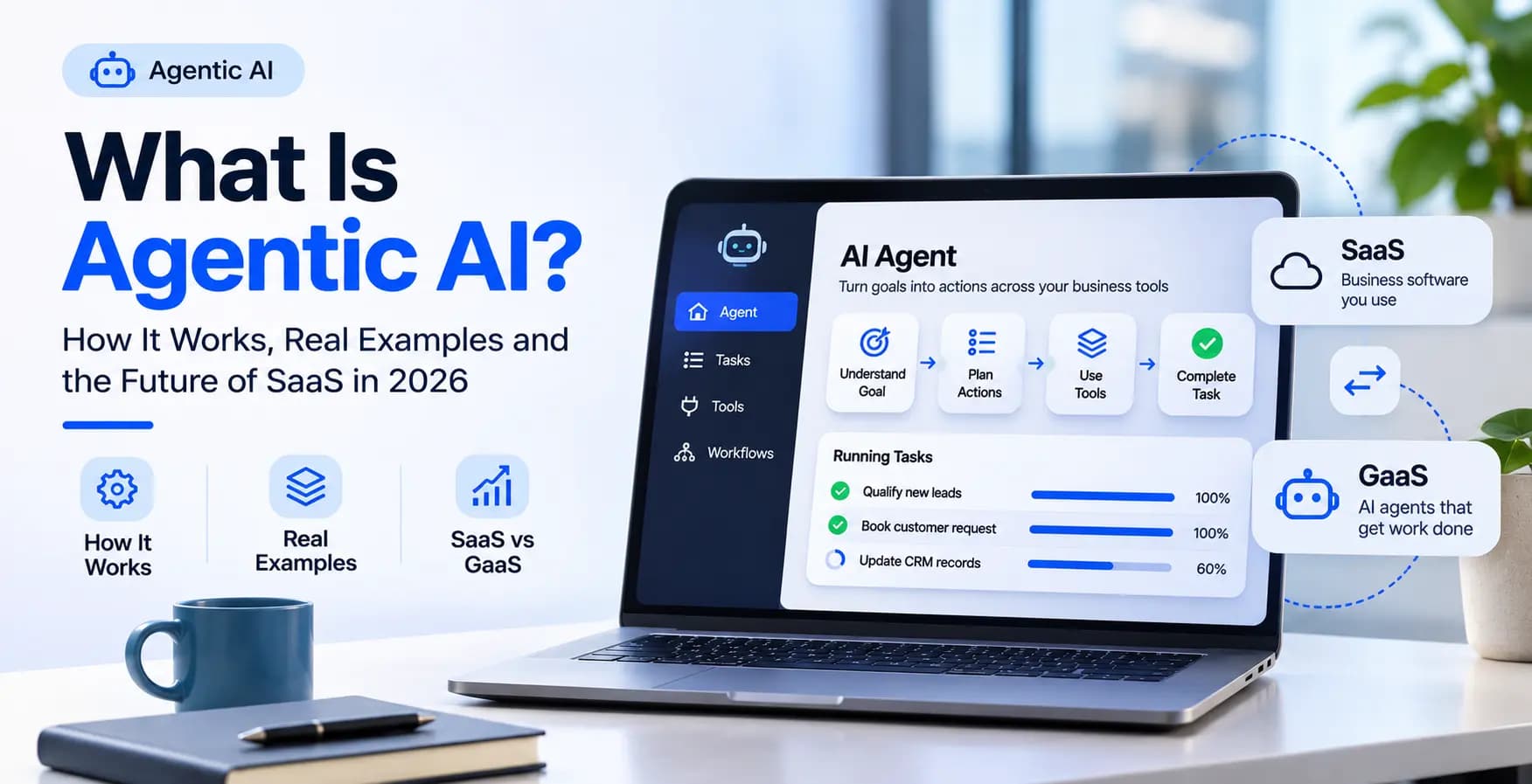
Agentic AI can do more than generate a paragraph or answer a question. An agent interprets a goal and selects actions from tools it is allowed to use.
A typical workflow looks like this:
- Understand the goal. A customer asks to reschedule an appointment.
- Check the context. The agent reads the current booking and approved schedule.
- Plan an action. It finds a suitable available time and asks the customer to confirm.
- Use a tool. It sends an authorized change to the scheduling system.
- Verify the result. It confirms the change only after the system returns success.
If a tool fails, the agent should stop or ask for help. It must not invent a completed booking.
Why Are AI Agents Changing SaaS in 2026?
Traditional software gives teams separate interfaces for separate jobs. A single customer request can involve a CRM, an inbox, a scheduling system and an internal report. The information exists but someone must connect the steps.
AI agents can act as another interface across those applications. A manager might request a weekly sales summary and have an agent collect approved metrics. A support representative might ask an agent to investigate an order without opening several screens.
This can change software design. Businesses may need fewer routine clicks while still relying on the applications that store data and enforce access rules.
It could also change pricing. Vendors are testing charges tied to usage and work performed rather than seats alone. The right model depends on the task and how reliably its outcome can be measured.
Real Business Examples of SaaS and GaaS Working Together
Sales and Lead Management
A SaaS CRM stores leads, ownership history and customer conversations. An AI agent could review incoming inquiries, flag duplicate contacts and recommend follow-up actions. It might update an approved record after checking permissions.
WanderCode's Inside Sales CRM project demonstrates related work in lead ingestion, ownership controls, activity tracking and AI call coaching. Those foundations matter when an agent is expected to act on customer data.
Customer Support
A support agent could search an order record, check delivery status and draft an answer. It could route an exception to a human employee. Refunds or account changes should follow clear approval rules.
The support platform remains the source of records while the AI handles part of the investigation.
Internal Operations
An operations team could use an agent to review task progress, identify missing reports and prepare a manager's daily briefing. A person would approve operational changes with financial consequences.
WanderCode's AI Operations project shows relevant work connecting operational data and reporting. These systems need accurate records before automated decisions become useful.
Work Across Multiple Tools
Agents become more valuable when they can complete a task across several approved systems. That also makes security and reliability harder.
The AI Jade project includes permission-aware workflows that coordinate actions across plugins. The Smart AI Router project demonstrates AI request routing, logging and usage monitoring. Both illustrate engineering concerns behind dependable agent services.
Will AI Agents Make Traditional SaaS Obsolete?
Some simple SaaS tools may lose value if agents can perform their main job without a dedicated interface. A business might need fewer screens for routine tasks.
But core systems still handle customer records, financial transactions, identity and regulatory controls. Agents need those systems to operate. They don't replace the need for accurate data, permissions or transaction history.
A more realistic future combines agent-driven experiences with dependable software infrastructure. Users may talk to an agent first and open a dashboard when detailed review is needed.
That is why AI agents replacing SaaS is better understood as a change in software interaction and business models, not an overnight disappearance of applications.
SaaS vs GaaS Pricing: What Will Businesses Pay For?
SaaS commonly charges a monthly or annual subscription. An agent-based service may charge for processing time, tasks completed or a defined outcome. Some services mix subscription and usage fees.
Outcome pricing sounds attractive but measuring an outcome is not always straightforward. Is a sales lead qualified when the AI assigns a score or when a salesperson accepts it? Does a booking count before the calendar confirms it? Contracts need clear definitions.
Agent systems also cost money to build, monitor and review. One task may require several model and tool calls.
For a breakdown of these expenses, see WanderCode's AI automation cost guide.
Should You Replace Your SaaS Tools or Add AI Agents?
Start by studying the work employees repeat. Look for processes that require copying information between systems or checking the same records again and again.
Choose one measurable task. Define the permitted actions and the cases that need human approval. Start with read-only access if practical. Test incorrect data, failed integrations and unusual requests before allowing the agent to change records.
Track successful outcomes, time saved and corrections required. A fast workflow that creates errors isn't an improvement.
Often the best first move is adding AI to existing business software rather than replacing a working platform. Businesses can then expand the agent's responsibilities as results become dependable.
Frequently Asked Questions
Is GaaS the Same as SaaS?
No. SaaS describes access to hosted software. GaaS, in this context, describes agents performing business tasks through connected systems. The two approaches can operate together.
Will SaaS Disappear Because of AI Agents?
There is no solid basis for expecting core SaaS platforms to disappear soon. AI agents are more likely to change their interfaces, workflows and pricing models.
Can a Small Business Use GaaS?
Yes. A small business can begin with one controlled task such as lead routing or appointment updates. It needs clear permissions and a way to involve staff when the system cannot finish safely.
Is It Better to Build a Custom AI Agent?
It depends on the workflow. Ready-made options can suit common tasks. Custom development can make sense when a business has complex rules, several connected applications or specific security requirements.
Final Thoughts
AI agents won't make SaaS irrelevant overnight. They are changing where work happens. Applications remain responsible for records and rules while agents take on selected actions across them.
For founders and business owners, the best question is not which acronym wins. It is which customer or employee task can be completed more accurately with less manual effort.
If you are planning an agent-based workflow or want to connect AI with your current applications, contact WanderCode to discuss the requirements and a development approach suited to your business.
Related Blogs
AI & Automation
AI Receptionist for Small Business in 2026: Cost, Benefits and Setup
Explore how AI receptionists answer calls, book appointments, what they cost in 2026, and how small businesses can set one up.
AI & Automation
How to Integrate AI Into Existing Business Software in 2026
Learn how to add useful AI features to existing business software without rebuilding it, from use cases and implementation to costs, risks, and ROI.
AI & Automation
How US Businesses Are Using MCP to Connect AI Agents With Business Tools in 2026
Explore how US businesses can connect AI agents to CRMs, support tools and internal data with MCP, plus practical use cases, costs and security controls.
AI & Automation
AI Coding Agents Are Writing More Code. Who Is Responsible for What They Ship?
AI coding agents can create code faster than teams can review it. Here is how to keep changes focused, assess risk, and retain clear ownership of production releases.