

Business & Growth
Why Are Leads Still Getting Lost in Your CRM? The Speed-to-Lead Problem
Leads can disappear between form submission, CRM assignment, and follow-up. Learn how to trace the handoff and improve speed to lead.
WanderCode Team
8 min read
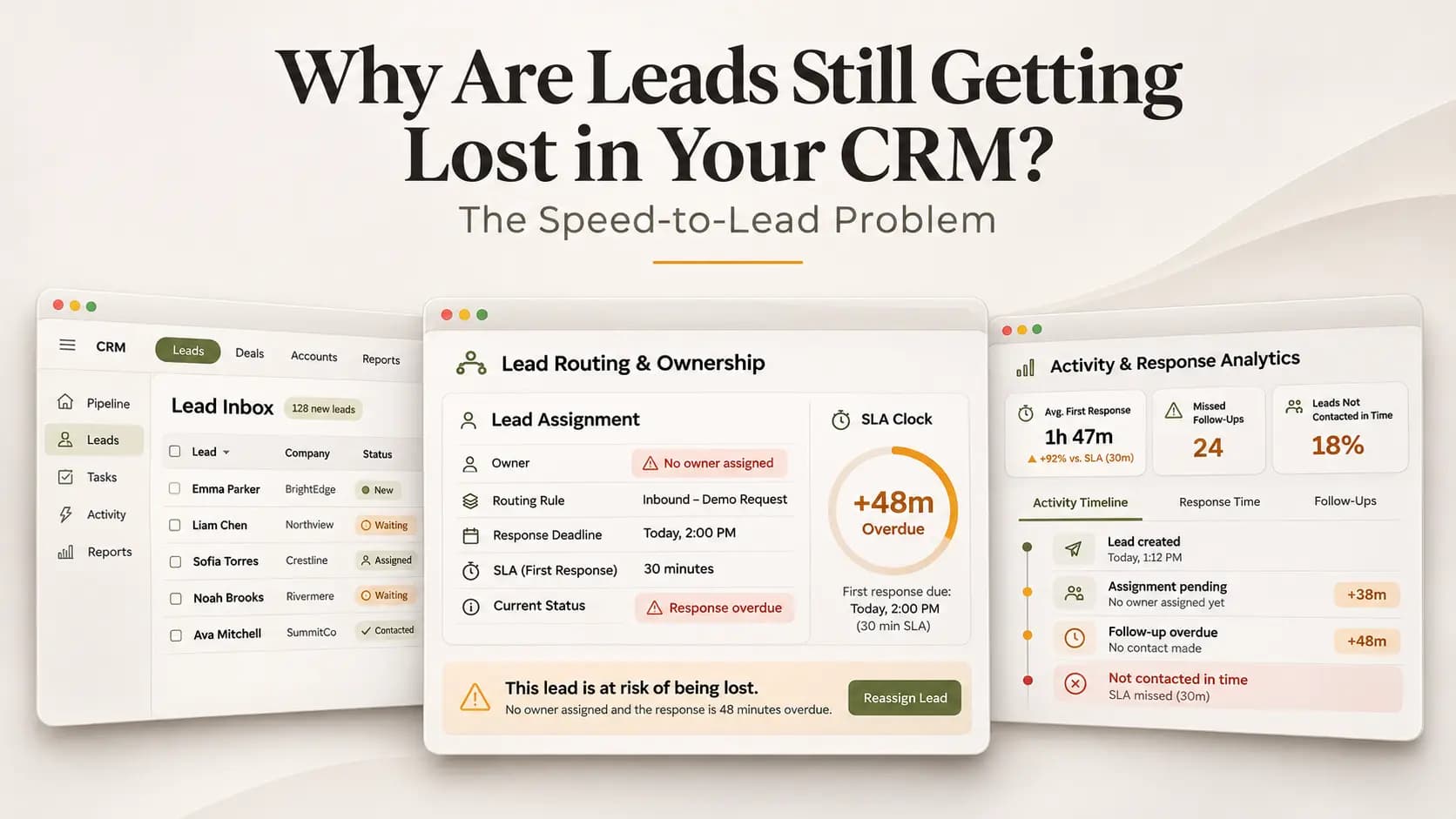
A potential customer submits a quote request at 9:12 a.m. The website shows a confirmation message. A new contact appears in the CRM. Marketing counts the inquiry as a lead. By late afternoon nobody has spoken to the customer.
The form worked. The database worked. So why did the business lose the opportunity?
This is the gap behind the speed-to-lead problem. Companies invest in CRM software to manage sales but a record in the system does not mean someone has taken responsibility for the person behind it. The missing step is often hidden between lead capture, assignment and the first useful conversation.
Why Having a CRM Does Not Guarantee a Response
A CRM is a place to record information and coordinate sales activity. It cannot independently guarantee that the right person sees a new inquiry or acts on it at the right time.
Consider a form that creates a lead with the status “New.” That sounds successful. But the record may have no owner. It may sit in the wrong pipeline or have a phone number that failed validation. An automated acknowledgement may be marked as the first response even though nobody has addressed the customer's question.
This matters because dashboards often count what the software recorded rather than what the customer experienced. A healthy looking intake chart can exist alongside unanswered inquiries.
What Does Speed to Lead Actually Measure?
Speed to lead is the time between a customer's inquiry and the first meaningful sales response. The start time should be when the form, call or chat request reaches the business, not when a delayed CRM sync finally creates a record.
The end point also matters. A generic “We received your message” email confirms delivery. It doesn't necessarily move the conversation forward. A useful response answers the request, asks a relevant question or offers a clear next step. It may come from a salesperson or a properly connected two-way assistant.
In June 2026, Zapier reported that 92% of 404 surveyed US sales and marketing managers had qualified leads dropped at least monthly. A July 2026 Typeform report also found that 69% of surveyed organizations took more than 24 hours to respond to at least a quarter of their leads. Those are survey findings rather than universal loss rates. They still show why response handling deserves attention.
Follow One Lost Lead Through the System
Imagine the same customer requesting a software demonstration. The website captures the inquiry at 9:12. The marketing platform forwards it at 9:13. The CRM creates a contact at 9:14. A territory rule assigns it to a representative who is away that day.
The CRM reports “Assigned.” A notification is delivered to that representative's inbox. Nobody checks it. At 4:30 a manager opens the pipeline and sees 35 new leads but cannot tell which ones have received a real reply.
The problem is not a lack of leads. It is a missing chain of responsibility.
To investigate, the business needs to follow the complete event trail: when the inquiry was submitted, whether the CRM accepted it, who received ownership, which contact attempts occurred, and whether the customer replied. A notification being sent is not proof that a conversation happened.
The First Failure: Captured but Not Properly Recorded
Sometimes the failure starts before the lead appears in the correct CRM view. Website fields may map to the wrong record type. An integration may time out or return a validation error. A duplicate rule may merge the new inquiry into an older contact without alerting its current owner.
The practical response is to verify intake at both ends. Store a submission identifier and timestamp, confirm that a valid CRM record was created, and flag failures for retry or human review. Duplicate handling should preserve the new inquiry and its source rather than quietly discarding it.
If the form displays success while the CRM write has failed, the business needs an error queue. Otherwise marketing may believe it has captured a lead that sales cannot see.
The Second Failure: Assigned but Not Owned
Automatic routing can solve part of this problem. It can also hide another one. A round-robin rule may select an unavailable representative. A territory rule may fail when location data is missing. Leads may remain inside a shared queue that no employee checks.
Ownership needs a clear acceptance and fallback process. Set a reasonable response deadline based on business hours and lead type. If the assigned person cannot respond, escalate the inquiry to a team lead or available backup. The CRM should show both the current owner and the next required action.
This is different from sending more alerts. A notification without responsibility often becomes background noise.
The Third Failure: Contact Happened but Follow-Up Stopped
An initial call can end without reaching the buyer. A representative may leave a voicemail and mark the lead as contacted. If there is no second task, the record stops moving.
The system should distinguish an attempted call from a connected conversation. After an unsuccessful attempt it can schedule the next permitted step, record the reason and remind the owner. If the prospect asks not to be contacted, consent and opt-out rules must stop future outreach.
A faster first message will not repair a process that forgets the second conversation.
What Would a Working Fix Look Like?
Return to the 9:12 inquiry. A reliable workflow records the original submission time and source. It creates or updates the right contact without erasing the latest request. It assigns an available owner, sets a response deadline and records a task linked to that lead.
If a salesperson starts a real conversation, the workflow records the contact outcome. If the deadline passes with no meaningful response, the inquiry moves to an escalation queue instead of quietly ageing. If the CRM integration fails, the submission remains available for a controlled retry.
These are normal software rules. Most of them don't need an AI agent. AI can help summarize a complex inquiry or suggest which questions to ask. It should not decide that a salesperson responded merely because an automated email was delivered.
For teams working across several platforms, this is where integrating existing business software can be more useful than purchasing another dashboard.
How Can a Business Prove the Change Worked?
Measure more than the number of new leads. Start with the percentage that reached the CRM correctly, the percentage with an accountable owner, and the time from original submission to a meaningful first response.
Then track unanswered leads past the deadline, second-attempt completion, connected conversations and qualified opportunities. Review the data by source and business hours. A web form submitted at midnight should not be judged against the same staff availability as a weekday inquiry unless the business promises round-the-clock response.
A simple weekly review of real records can expose errors a summary dashboard hides. Pick a sample of new leads and check their activity history against actual email, call and calendar records. If the reported contact cannot be verified, correct the measurement before declaring success.
Do AI Agents Solve the Speed-to-Lead Problem?
They can help with certain steps. An AI calling system can answer basic questions, collect requirements and arrange a callback. But AI cannot fix unclear ownership or incorrect CRM permissions by itself.
WanderCode's Voice Agent project demonstrates calling workflows with appointments, callbacks and tracked outcomes. Its Inside Sales CRM project addressed real intake and ownership problems, including incorrect record types, duplicates, unassigned leads and misleading dashboards. These are examples of related delivered engineering work, not claims about a measured conversion increase.
For businesses with a working CRM, the first question is usually which connection or handoff is failing. Only then should the team decide whether automation, AI or a change to human responsibilities is the right response. WanderCode's web development services cover integrations between websites and marketing systems that can form part of that work.
Frequently Asked Questions
Why do leads disappear after being added to a CRM?
They may be placed in the wrong pipeline, merged into older records, assigned to unavailable staff or left without a follow-up task. Check the submission history and ownership records before assuming the lead has disappeared.
Is a five-minute response always necessary?
Not for all businesses. The right target depends on customer expectations, business hours and inquiry urgency. A useful conversation is more valuable than a fast automatic acknowledgement that leads nowhere.
Should a business replace its CRM to stop losing leads?
Usually the first move is to audit existing integrations, assignment rules and contact history. A replacement may be justified if the platform cannot support necessary controls, but changing tools without fixing the workflow can repeat the same problem.
Final Thoughts
A CRM can hold thousands of contacts while real opportunities still go unanswered. The important question isn't how many leads the dashboard shows. It is whether the business can prove who received each inquiry, what happened next and when the customer actually heard back.
Start by tracing one lost lead from submission to outcome. Fix the failed handoff, verify it against real records and then repeat the review. If your company needs help connecting forms, sales workflows and customer records, contact WanderCode to discuss a focused CRM integration review.
Related Blogs
AI & Automation
Can AI Agents Leak Customer Data? The Security Risks Businesses Overlook
AI agents can expose customer data through overpowered tools, weak permissions, shared search, or memory. Learn where leaks happen and how to prevent them.
AI & Automation
Will AI Agents Replace SaaS? SaaS vs GaaS Explained in 2026
Will AI agents replace SaaS? Compare SaaS and GaaS, see how agents work with existing software, and explore pricing and business use cases in 2026.
AI & Automation
AI Receptionist for Small Business in 2026: Cost, Benefits and Setup
Explore how AI receptionists answer calls, book appointments, what they cost in 2026, and how small businesses can set one up.
AI & Automation
How to Integrate AI Into Existing Business Software in 2026
Learn how to add useful AI features to existing business software without rebuilding it, from use cases and implementation to costs, risks, and ROI.